Chaque nouvelle version de notreCore MetaDefender Core est guidée par la même question : de quoi les équipes chargées de la sécurité, de la conformité et des opérations ont-elles besoin pour mieux accomplir leur travail ? Cette mise à jour comprend un large éventail d'améliorations, et que vous gériez des politiques de fichiers, meniez des enquêtes sur des incidents, réalisiez des audits de conformité ou évaluiez la couverture de détection, vous y trouverez des fonctionnalités qui auront un impact direct sur votre façon de travailler.
Voyons ensemble les nouveautés.
Renforcement de l'application des politiques au niveau des fichiers
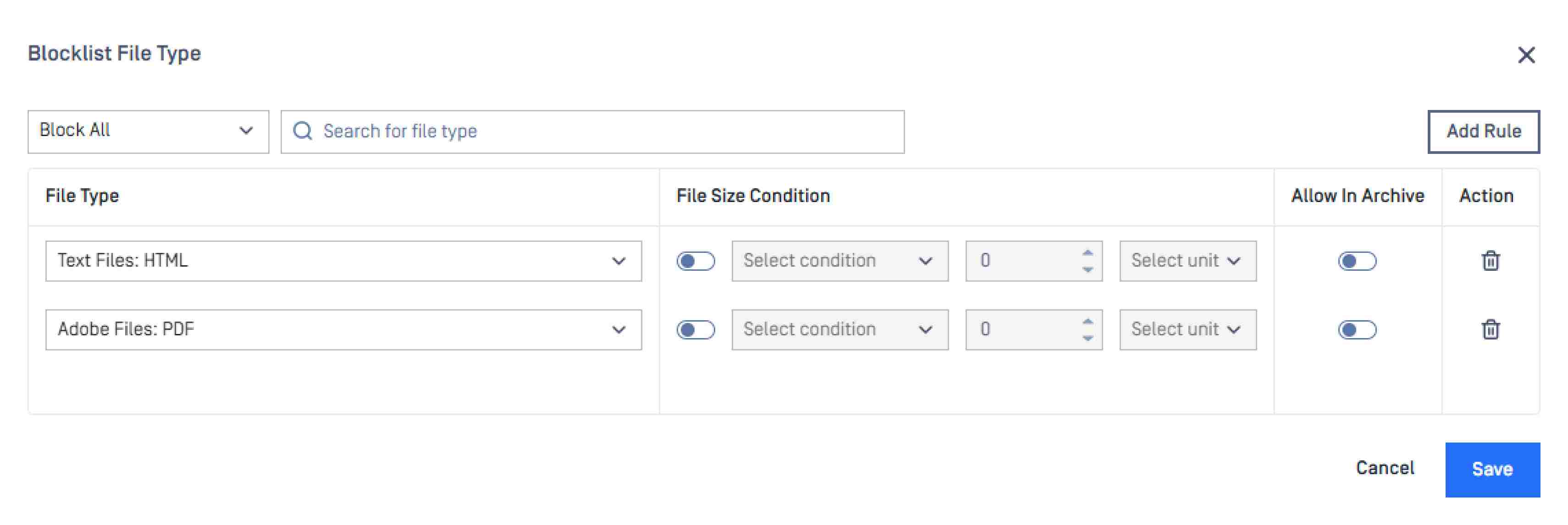
La configuration des listes de blocage et d'autorisation est désormais plus précise
Le choix d'un type de fichier inapproprié lors de la configuration des règles de sécurité constitue une source fréquente de vulnérabilité. L'interface mise à jour des listes de blocage et d'autorisation rend la sélection des types de fichiers plus claire et plus précise, ce qui réduit le risque d'erreurs de configuration dans les environnements complexes.
Quarantine ajoute une protection par mot de passe pour les fichiers enregistrés
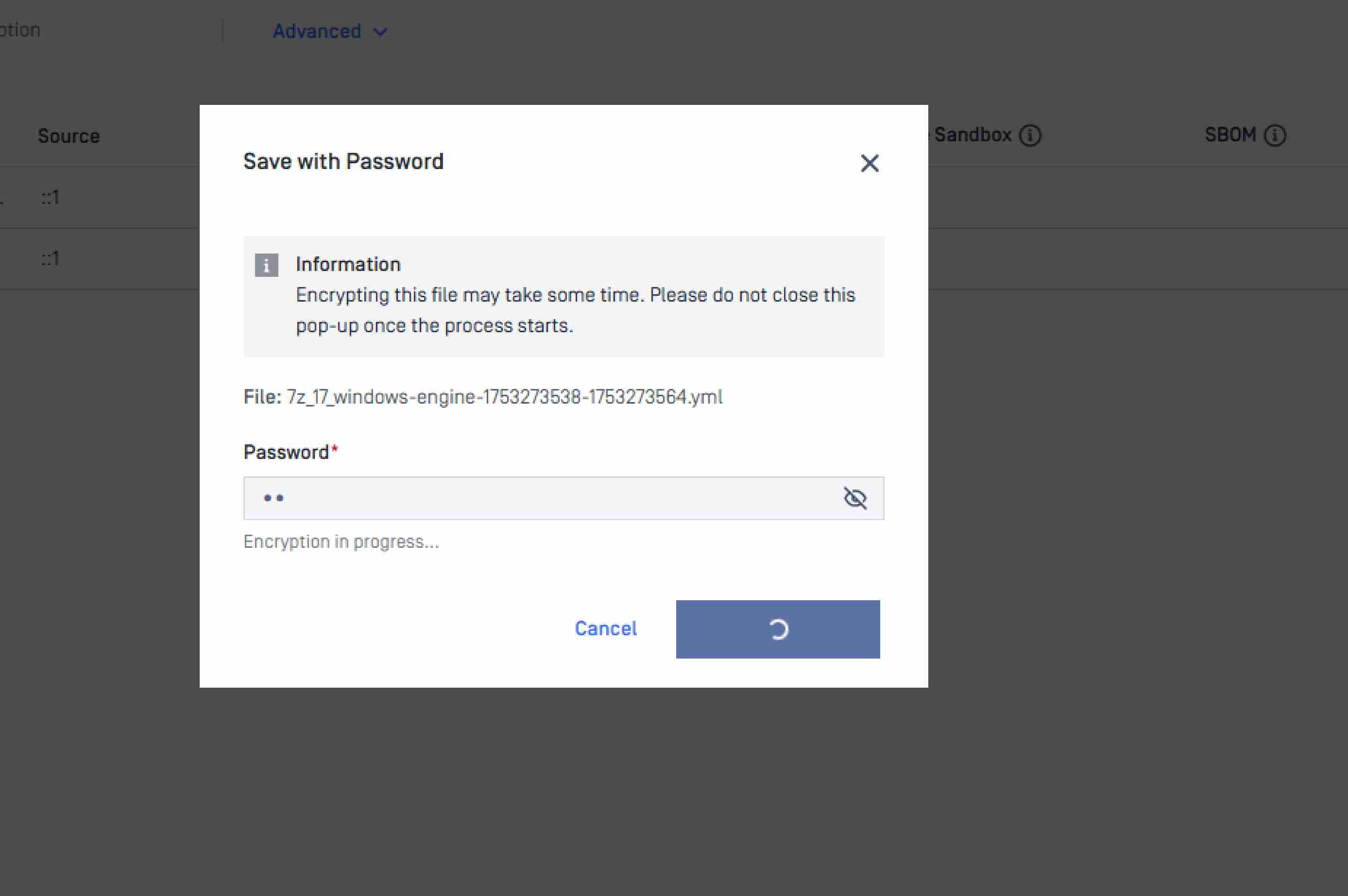
Les fichiers mis en quarantaine peuvent désormais être enregistrés avec une protection par mot de passe, ce qui empêche leur exécution automatique si un fichier infecté est téléchargé ou transféré au cours de l'enquête. Dans le cadre des interventions en cas d'incident et des processus d'analyse informatique, où les fichiers circulent entre différentes équipes ou différents systèmes, cette mesure permet de confiner le contenu malveillant tout au long du processus d'examen.
Couverture élargie des plateformes et résilience opérationnelle
Prise en charge de nouveaux systèmes d'exploitation : Debian 12, Windows 24H2 et Windows 25H2
MetaDefender Core prendCore en charge Debian 12, Windows 24H2 et Windows 25H2, garantissant ainsi que la protection des fichiers évolue au même rythme que les cycles de mise à jour des systèmes d'exploitation dans l'ensemble de votre environnement.
Une meilleure visibilité en cas de baisse de la connectivité
Le module d'inventaire affiche désormais une notification intégrée à la plateforme, accompagnée de conseils de dépannage, lorsqu'une connexion faible est détectée, qu'elle soit liée à la configuration du proxy, aux connexions internes, à l'OCM ou à la validation des licences. Les administrateurs disposent ainsi d'une solution directe au lieu de devoir procéder à un diagnostic à l'aveuglette.
Sachez quand votre version est obsolète
MetaDefender Core afficheCore une notification à l'écran lorsque la version installée n'est plus à jour, ce qui évite d'avoir à vérifier manuellement la version ou à recourir à un système de surveillance externe.
Visibilité des flux de travail et performances d'intégration
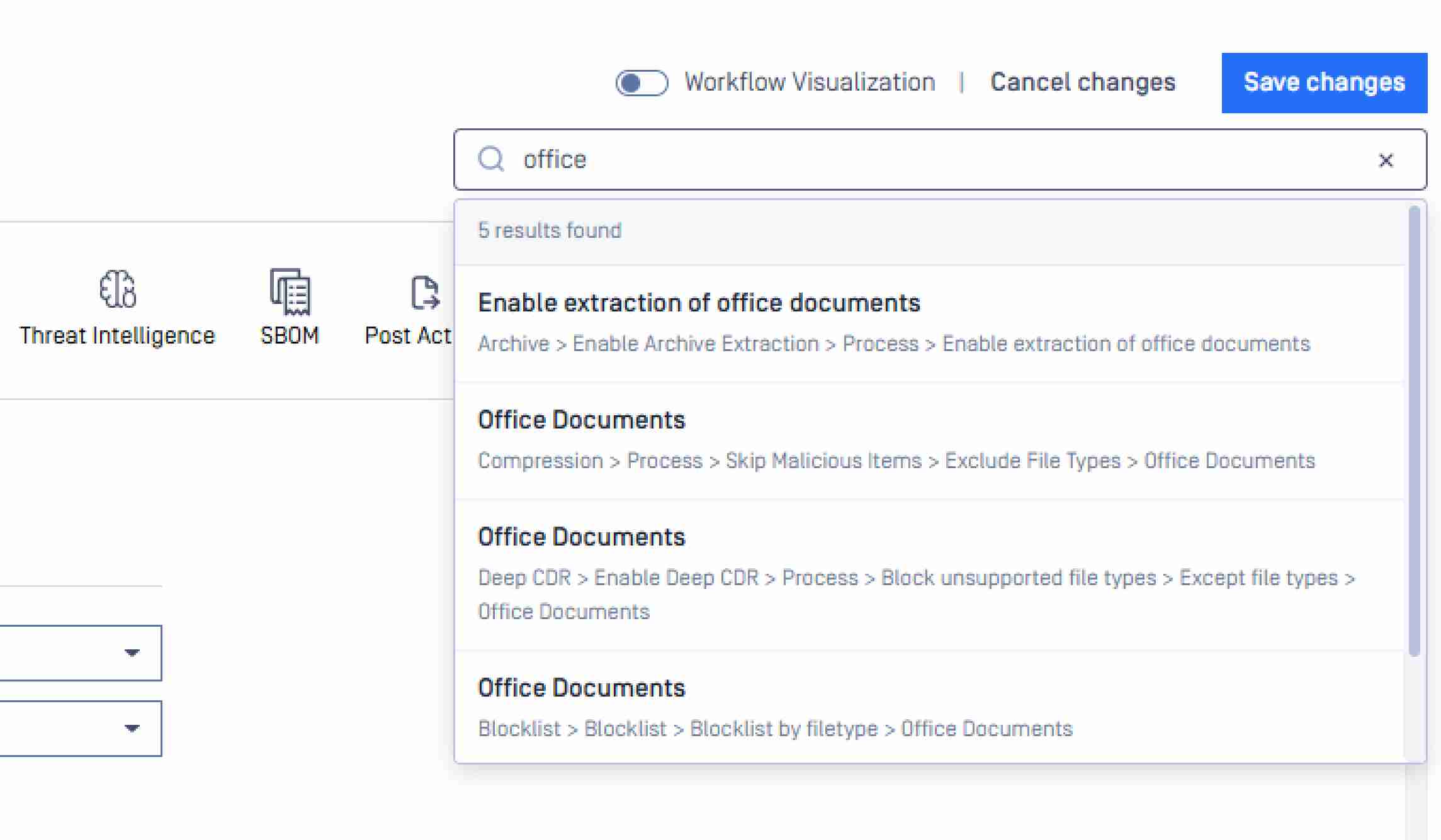
La fonction de recherche est désormais disponible dans la visualisation du flux de travail
Une barre de recherche est désormais disponible à la fois dans les paramètres généraux et dans la vue « Visualisation du flux de travail ». Pour les équipes qui gèrent un grand nombre de règles de flux de travail personnalisées, cela réduit considérablement le temps nécessaire pour localiser et gérer des configurations spécifiques.
L'URL de rappel permet d'envoyer plus rapidement des signaux d'achèvement et d'optimiser le temps de réponse
MetaDefender Core envoieCore un signal pour avertir les produits intégrés dès que le traitement est terminé, et le temps de réponse vers ces intégrations a été optimisé. Dans les environnements utilisant des solutions ICAP, cela réduit la latence entre la fin de l'analyse et la réception du résultat par le produit en aval.
L'offre d'assistance comprend désormais une option allégée
Lors du dépannage avec OPSWAT , une option de package allégé est désormais disponible en plus du package de diagnostic standard, ce qui permet aux administrateurs de mieux contrôler la taille et l'étendue des données collectées et partagées.
Capacités étendues de l API
Historique des analyses de fichiers : jusqu'à deux ans, sans limite d'utilisateurs
API REST permet API de consulter l'historique des analyses de fichiers sur une période pouvant aller jusqu'à deux ans, sans aucune restriction quant au nombre d'utilisateurs inclus dans la requête. Les équipes chargées de la sécurité et de la conformité peuvent ainsi extraire par programmation des rapports d'audit complets, ce qui facilite les enquêtes à long terme et répond aux exigences réglementaires, notamment celles du RGPD, de la loi HIPAA, de la norme PCI DSS et du CMMC.
Contrôles relatifs aux rapports de conformité et aux notifications
Les rapports de direction peuvent désormais être exportés au format CSV
L'exportation au format CSV est désormais disponible pour les rapports de direction, en plus des formats existants, offrant ainsi aux responsables de la conformité et aux gestionnaires des risques la possibilité d'intégrer directement les données des rapports dans des systèmes SIEM, des plateformes de gouvernance ou des outils de reporting destinés au conseil d'administration.
Historique des traitements : exportation au format CSV
L'historique de traitement peut désormais être exporté sous forme de fichier CSV structuré, offrant ainsi aux équipes opérationnelles et de conformité un enregistrement portable et prêt pour l'audit de toutes les activités de traitement des fichiers, à des fins d'enquêtes, de soumissions réglementaires ou de documentation courante.
Les alias de notification par e-mail sont désormais pris en charge
Les notifications par e-mail dans les paramètres généraux prennent désormais en charge l'ajout d'un alias devant l'identifiant de déploiement, ce qui permet aux administrateurs de contrôler l'identité de l'expéditeur des notifications et facilite l'acheminement et l'identification des alertes de la plateforme au sein des environnements de messagerie d'entreprise.
Mises à jour du moteur
SBOM filtre les paquets vulnérables pour accélérer le tri
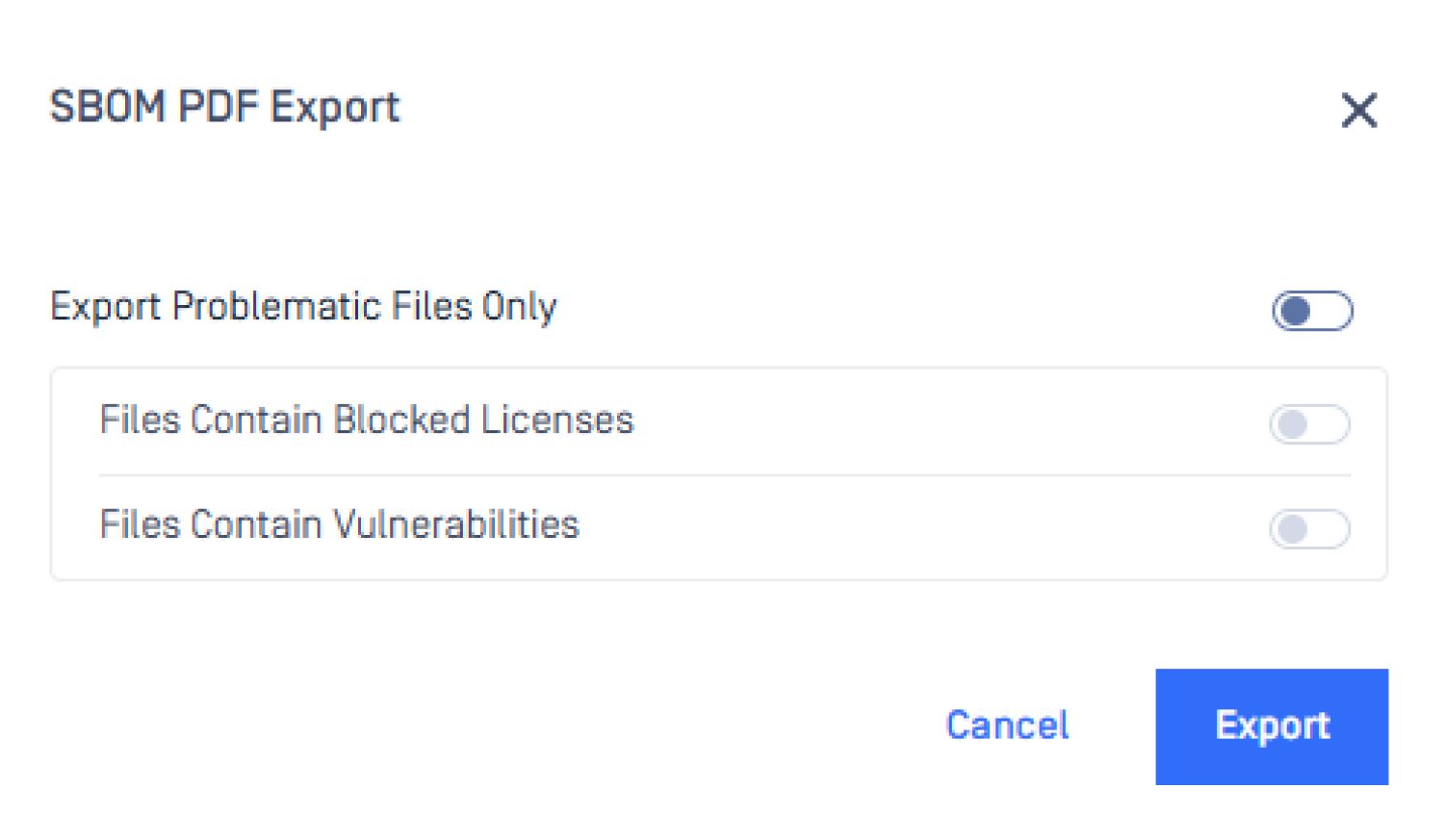
Le moteur SBOM prend désormais en charge le téléchargement de rapports filtrés qui ne renvoient que les paquets présentant des vulnérabilités identifiées. Lorsque l'objectif est la correction des failles ou la fourniture de preuves de conformité, les équipes de sécurité peuvent accéder directement aux résultats exploitables sans avoir à passer en revue l'intégralité de l'inventaire des composants.
Metascan™ Multiscanning: SentinelOne et Xcitium rejoignent l'offre MAX
À compter du 1er avril 2026, deux nouveaux moteurs viendront compléter l'offre Metascan™ Multiscanning .
SentinelOne s'intègre à l'offre MAX pour Windows et Linux, ajoutant ainsi une analyse comportementale basée sur l'IA et une détection par apprentissage automatique aux capacités existantes de détection par signatures et par heuristique de l'ensemble de plus de 30 moteurs.
Xcitium est intégré à la suite Linux MAX, renforçant ainsi la couverture de détection pour les environnements Linux dans les infrastructures cloud natives, OT et réglementées.
Ces deux nouveautés sont comprises dans les droits d'accès actuels au pack MAX, sans nécessiter de travaux d'intégration supplémentaires ni de modifications des licences.
Sandbox Adaptive Sandbox l'analyse des archives par défaut
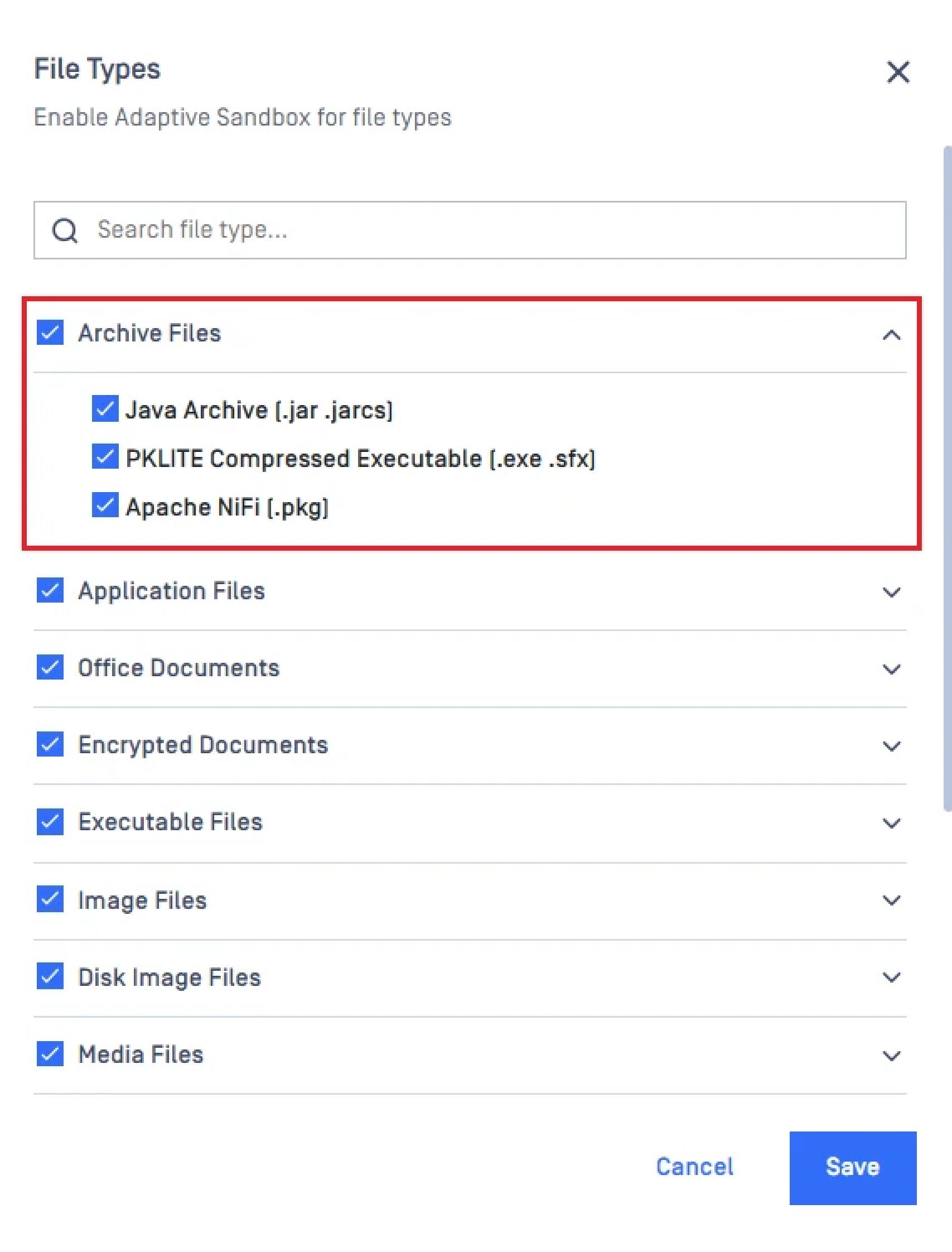
Les types de fichiers d'archive sont désormais inclus par défaut dans laSandbox standard Adaptive Sandbox . Auparavant, l'analyse des fichiers d'archive nécessitait un ajustement manuel de la politique, ce qui pouvait entraîner une lacune dans la couverture des déploiements standard. La couverture de détection est désormais homogène dès le déploiement.
Mises à jour MetaDefender
Répertoires : gestion simplifiée des rôles entre les groupes
Les administrateurs peuvent désormais regrouper les rôles au sein d'une configuration unique et unifiée. Lorsque les utilisateurs appartiennent à plusieurs groupes soumis à des règles différentes, les autorisations deviennent imprévisibles et difficiles à contrôler. Définir les rôles une seule fois et les appliquer de manière cohérente permet de réduire ces lacunes et facilite la documentation du contrôle d'accès pour les équipes chargées de la conformité.
Prise en charge étendue des filtres de fichiers pour tous les types de requêtes
MetaDefender applique désormais des filtres de fichiers à tous les types de requêtes : par lots, par fichier, par objet et par données de formulaire. Les règles de filtrage couvrent désormais l'ensemble des modes d'entrée des fichiers dans le pipeline de traitement, toutes plateformes confondues, éliminant ainsi les lacunes qui existaient lorsque seuls certains types de requêtes étaient pris en charge.
Prochaines étapes
Prêt à vous lancer avec MetaDefender Core 5.18.0? Consultez ces ressources utiles :
- Visitez opswat.com/produits/metadefender /core
- Mise à niveau vers MetaDefender Core 5.18.0
- Consultez les notes de mise à jour
Vous avez des questions ? Contactez-nous à l'adresse opswat

