Les infrastructures critiques et les environnements OT (technologies opérationnelles) ne peuvent se permettre aucune interruption de service. Pourtant, les équipes de sécurité ont besoin d'une visibilité sur les systèmes en cours d'exécution afin d'identifier les menaces qui peuvent déjà exister dans la mémoire, sur les disques ou dans les secteurs d'amorçage.
La versionDrive .4.Drive MetaDefender Drive étend les capacités d'analyse au-delà de l'analyse avant démarrage, offrant ainsi une plus grande flexibilité pour inspecter les périphériques sans redémarrage ni installation de logiciel supplémentaire.
Présentation de la numérisation en cours de session pour une inspection ininterrompue des appareils
La fonctionnalité In-Session Scanning permetDrive MetaDefender Drive d'inspecter un périphérique pendant que le système d'exploitation est en cours d'exécution. Cette fonctionnalité ne nécessite aucune installation de logiciel, aucun redémarrage du système ni aucun temps d'arrêt forcé, ce qui permet une inspection approfondie dans les environnements critiques où les temps d'arrêt sont inacceptables.
Grâce à cette fonctionnalité, l'équipe de sécurité peut :
- Exécuter des processus et des bibliothèques en mémoire
- Disques locaux et secteurs d'amorçage
- Sélectionnez les fichiers ou dossiers en fonction des besoins opérationnels.
Advanced Threat Detection Multiscanning
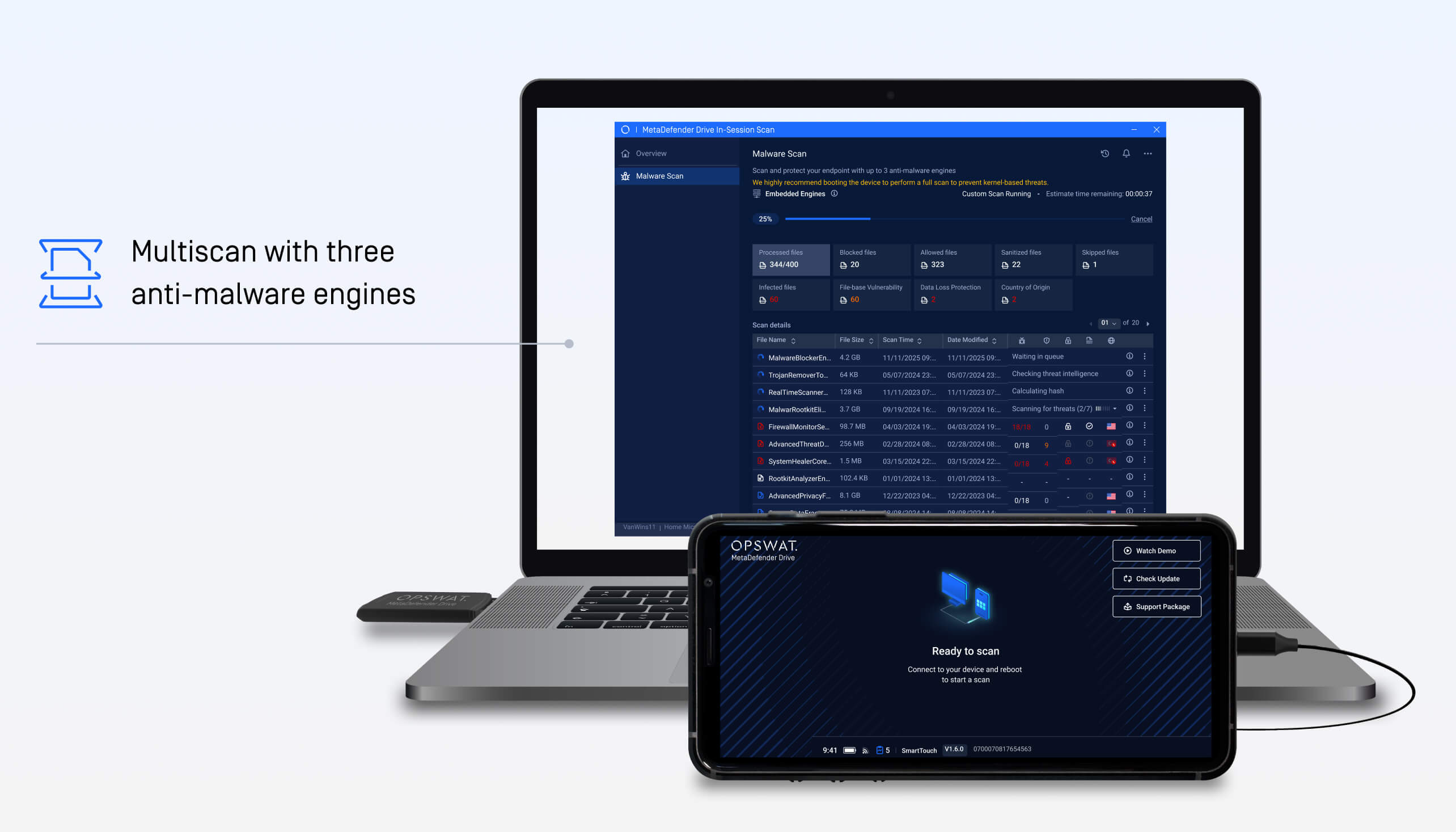
Le scan en session exploite Multiscanning Metascan™ Multiscanning OPSWATavec jusqu'à 3 moteurs anti-malware, augmentant les taux de détection jusqu'à 94 % tout en maintenant la disponibilité critique du système. Les moteurs anti-malware sont les suivants :
- ESET
- Bitdefender
- IA prédictive Alin
Fonctionnement de l'analyse en session
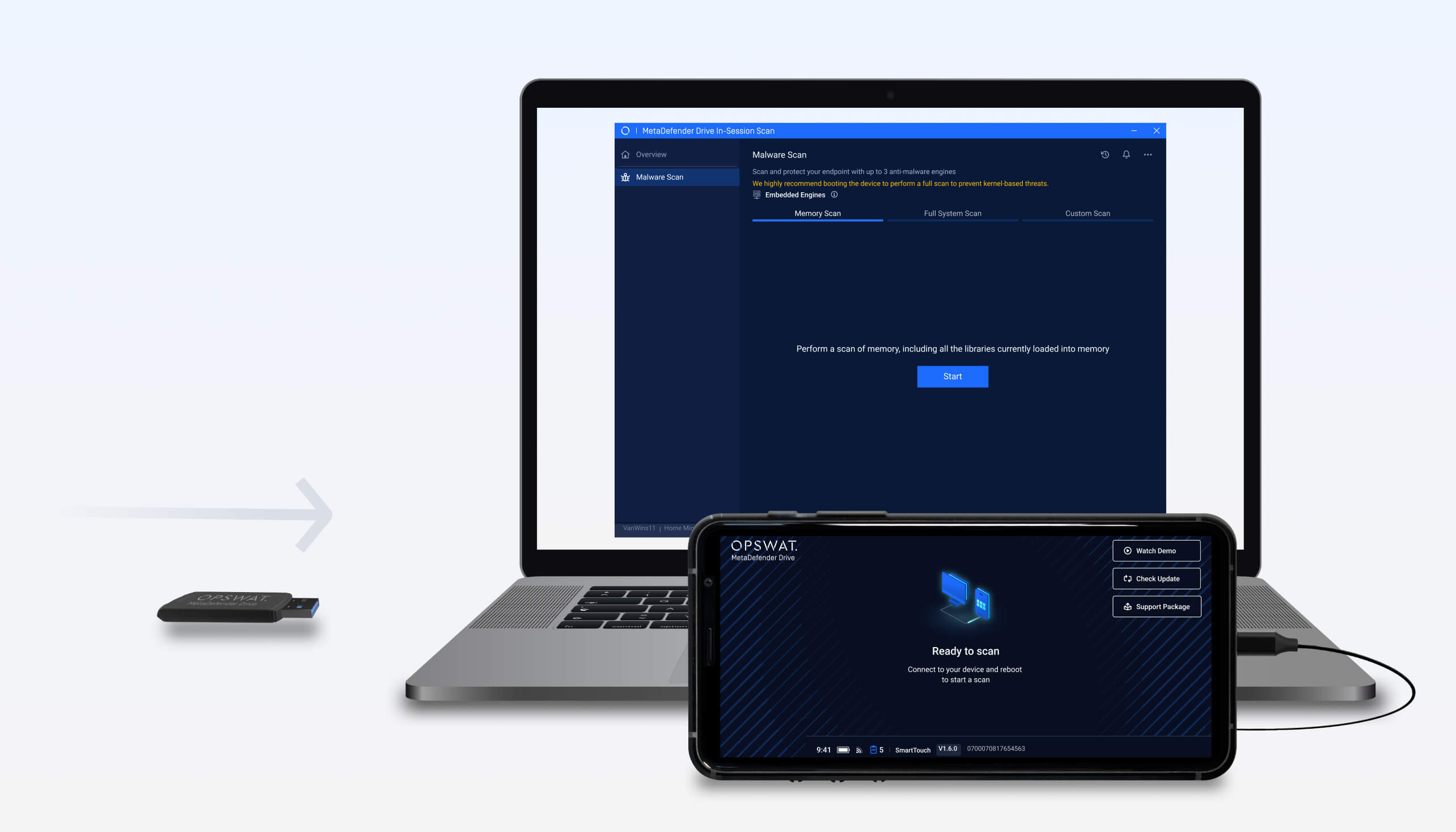
1. Connectez-vous à l'appareil hôte.
Insérez une clé MetaDefender Drive l'appareil cible pendant que le système d'exploitation est en cours d'exécution.
2. Analyse pendant les opérations en direct
Effectue une analyse en temps réel de la mémoire système et du stockage local à l'aide de trois moteurs anti-malware, afin d'identifier les menaces sans interrompre les flux de travail actifs.
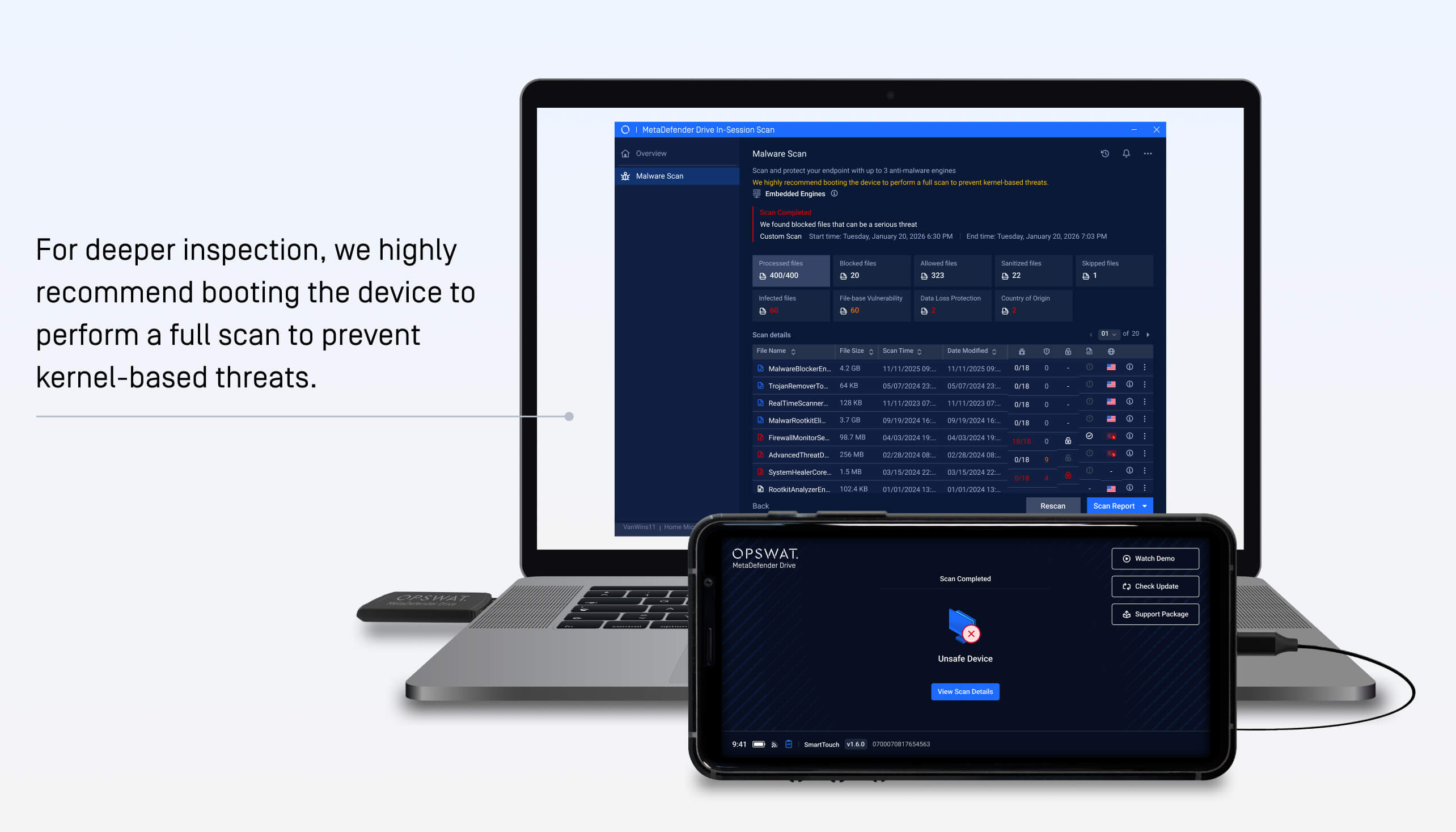
3. Voir les rapports
Une fois l'analyse terminée, les résultats mettent clairement en évidence les menaces détectées et les risques pour le système, ce qui permet de prendre rapidement des décisions éclairées en matière de correction.
Analyse sans accès à la clé BitLocker
La fonctionnalité In-Session Scanning permet d'effectuer des inspections même lorsque les clés de récupération BitLocker ne sont pas accessibles, aidant ainsi les équipes de sécurité à maintenir la visibilité sans modifier le chiffrement existant.
Conçu pour assurer la continuité opérationnelle
L'introduction du scan en session offre une option d'inspection pratique pour les environnements où le scan avant démarrage n'est pas possible. En combinant l'inspection en direct avec Multiscanning Metascan Multiscanning OPSWAT, les organisations peuvent maintenir la disponibilité du système tout en détectant les menaces sans perturber les opérations en cours.
Détails de la publication :
- Produit : MetaDefender Drive
- Date de sortie : 13 février 2026
- Notes de mise à jour : Pour en savoir plus, cliquez ici.

